Every gamer has faced sudden lag during gameplay. Why online games lag is a widespread concern. From ping spikes to FPS drops, understanding the root cause is key to solving the issue effectively.
In the realm of online gaming, lag is a term that describes the delay between a player’s action and the game’s response. It serves as a critical factor that influences gameplay quality and the overall player experience. Lag can manifest in various forms, primarily categorized into three major types: network lag, server lag, and client-side lag.
Network lag typically occurs due to issues with the internet connection. High latency, often measured in ping, is a common symptom of network lag, indicating a delay in data transfer between the player’s device and the game server. Players may experience moments where their characters freeze or move erratically on the screen, which can severely impair the gaming experience.
On the other hand, server lag stems from problems at the game server level. This can happen when the server becomes overloaded with too many players or is experiencing technical difficulties. Symptoms of server lag might include slow response times for in-game actions, such as shooting or jumping, which can frustrate players and affect gameplay fluidity.
Finally, client-side lag relates to the performance of the player’s own device, including hardware limitations or software issues. High resource consumption by the game, insufficient processing power, or outdated drivers can exacerbate client-side lag, leading to a less responsive gaming experience. Players may notice choppy graphics or stuttering movement, further diminishing their enjoyment of the game.
Recognizing the various forms of lag is fundamental to addressing the issues players face during online gaming. Understanding the sources and symptoms of lag enables gamers to take proactive measures to enhance their playing experience, thereby minimizing disruptions and improving overall satisfaction.
Top 10 Reasons Why Games Lag
Online gaming has revolutionized the entertainment industry, enabling players to connect globally. However, lagging issues can significantly hamper the experience. This section explores the primary reasons for lag in online games.
☑️Poor Internet Connection: The most prevalent cause of lag is often a poor internet connection. Players rely on stable and high-speed internet for smooth gaming. Interruptions or fluctuations in bandwidth can result in delays and hiccups during gameplay.
☑️High Ping: Ping measures the time taken for data to travel from a player’s device to a game server and back. High ping rates often lead to noticeable lag. Ideally, ping should be below 50 ms for seamless gameplay; anything above could lead to frustrating delays.
☑️Inadequate Hardware: The performance of online games is heavily dependent on the player’s hardware specifications. Insufficient processing power or outdated graphics cards can struggle to keep up with modern game demands, resulting in lag.
☑️Overloaded Servers: Game servers are designed to handle a specific number of players. When these servers exceed their limits, performance suffers, leading to increased lag times.
☑️Software Conflicts: Background applications can compete for system resources, causing interference. Programs running during gameplay can consume bandwidth or processing power, negatively affecting gaming performance.
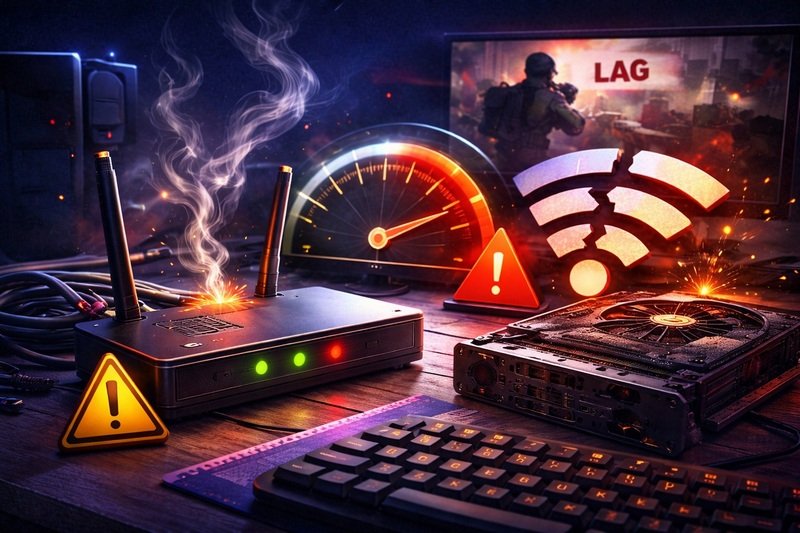
☑️Network Congestion: Similar to traffic jams, network congestion occurs when many users are online simultaneously, straining the system. This can lead to slower data transmission and, consequently, lag.
☑️Distance from the Server: The geographical distance between the player’s device and the game server can also introduce delays. The further away the server, the longer it takes for data to travel, increasing the likelihood of lag.
☑️ISP Throttling: Internet Service Providers (ISPs) may intentionally slow down connection speeds based on user activities. Gaming is a common target for throttling, leading to lagging issues.
☑️Outdated Drivers: Outdated graphics and network drivers can limit system performance. Keeping all drivers updated is crucial for ensuring optimal game performance and reducing potential lag.
☑️Firewall and Security Software: Firewalls and security programs may inadvertently block or slow down game data. Adjusting these settings can help alleviate lag issues.
Practical Solutions to Fix Lag Issues
Lag in online gaming can significantly detract from the overall experience, but various practical solutions can help mitigate these issues. One of the first things to address is the internet connection.
Gamers should consider using a wired Ethernet connection instead of Wi-Fi whenever possible, as it typically offers lower latency and more stable bandwidth. Additionally, optimizing your network settings can contribute to improved gaming performance. Ensure that other devices on your network are not consuming excessive bandwidth during gaming sessions, as this can lead to increased ping times.
Another crucial aspect is the hardware responsible for running the game. Upgrading components such as the CPU, RAM, or graphics card can lead to smoother gaming performance. Keeping your hardware drivers up to date is equally important; updated drivers can provide enhancements that reduce lag. Moreover, cleaning out dust from your PC or gaming console can help maintain optimal temperature and performance levels, which can be impeded by overheating.
Adjusting in-game settings is also essential. Reducing graphical fidelity settings, such as texture quality, shadows, and anti-aliasing, can significantly enhance frame rates and decrease lag.
Some games offer specific settings for optimizing the experience based on your hardware capabilities, and utilizing these can yield positive results. On top of that, using game mode features in your operating system, when available, might prioritize gaming processes and further reduce lag.
Finally, gamers should check the server settings they are using. Connecting to a server closer to your geographical location typically results in lower latency. Always be on the lookout for servers with lower ping times and stable connections. By applying these practical solutions, gamers can take significant steps towards minimizing lag and enhancing their overall online gaming experience.
Preventing Future Lag in Online Gaming
To ensure a seamless gaming experience, it is essential to take proactive measures to prevent online gaming lag. A stable internet connection is one of the most critical factors in maintaining excellent performance in multiplayer environments. First, opt for a wired Ethernet connection instead of relying solely on Wi-Fi. Wired connections generally provide a more stable and faster data transfer rate that significantly reduces the potential for lag.
Regular hardware updates are also vital. Gamers should frequently check for updates to their gaming systems, including graphics drivers, and the game itself. This can enhance overall performance and compatibility, thus minimizing lag.
Keeping hardware such as the CPU, GPU, and RAM optimized, by ensuring that they meet or exceed the recommended system requirements for the games played, is crucial. If in doubt, consider periodically upgrading components that show signs of aging or underperformance.
Moreover, select games that are well-optimized for your existing hardware setup. Researching game performance reports and community feedback can provide insight into whether a title would function smoothly on your machine, avoiding unnecessary frustration from lag during gameplay.
Additionally, understanding the reliability of your internet service provider (ISP) is fundamental. Choose an ISP known for its stable connection and low latency, as this directly impacts online gaming experiences. Consistent monitoring of internet speeds through testing platforms can help to ensure that the speeds provided align with the expectations set by your ISP.
Finally, establishing a routine for regular maintenance of your gaming setup, including cleaning hardware, checking for software conflicts, and ensuring sufficient cooling, will further support uninterrupted gaming. By adopting these preventive measures, gamers can significantly reduce the potential for future lag and enhance their overall gaming experience.