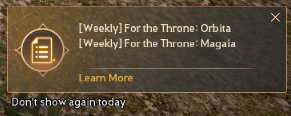
On September 10, 2026, the “Black Spirit’s Scheduler” was added to Black Desert, helping Adventurers track and reach their own goals more intuitively and conveniently.
With the Black Spirit’s Scheduler, you can select the content and quests you want to focus on, view them all at a glance, and easily get the help you need to complete them.
You can find the Black Spirit’s Scheduler under Menu (ESC) – Function (F8).
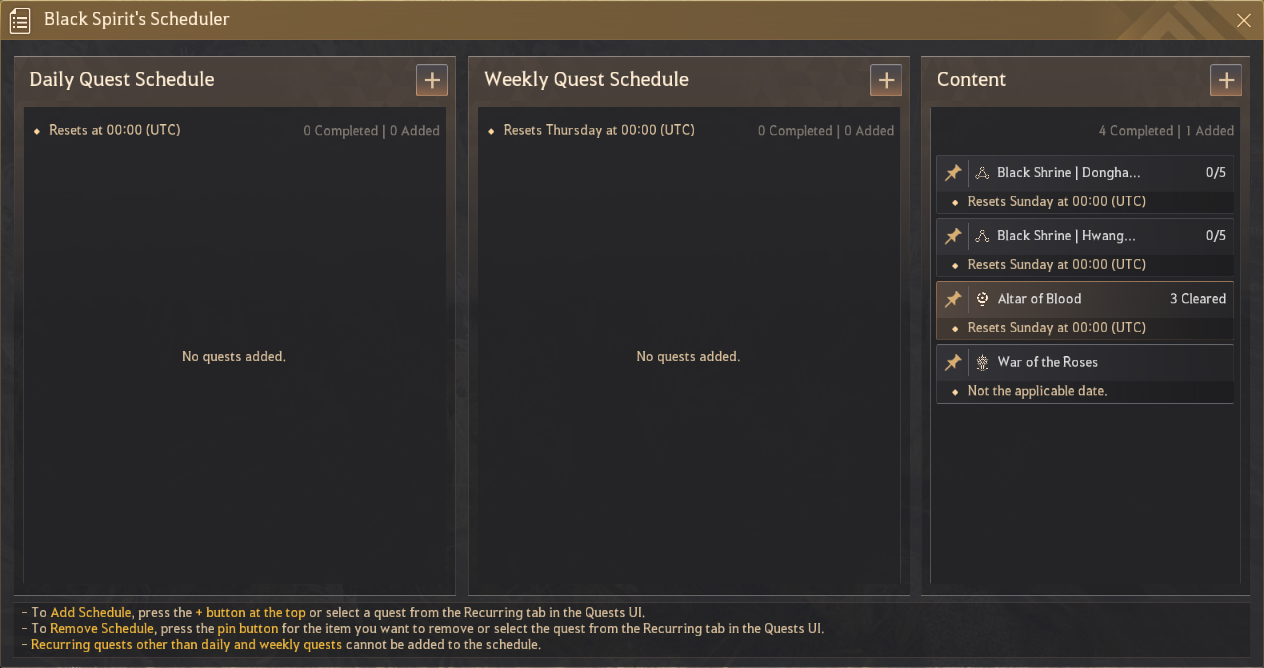
- The Black Spirit’s Scheduler is Family-wide.
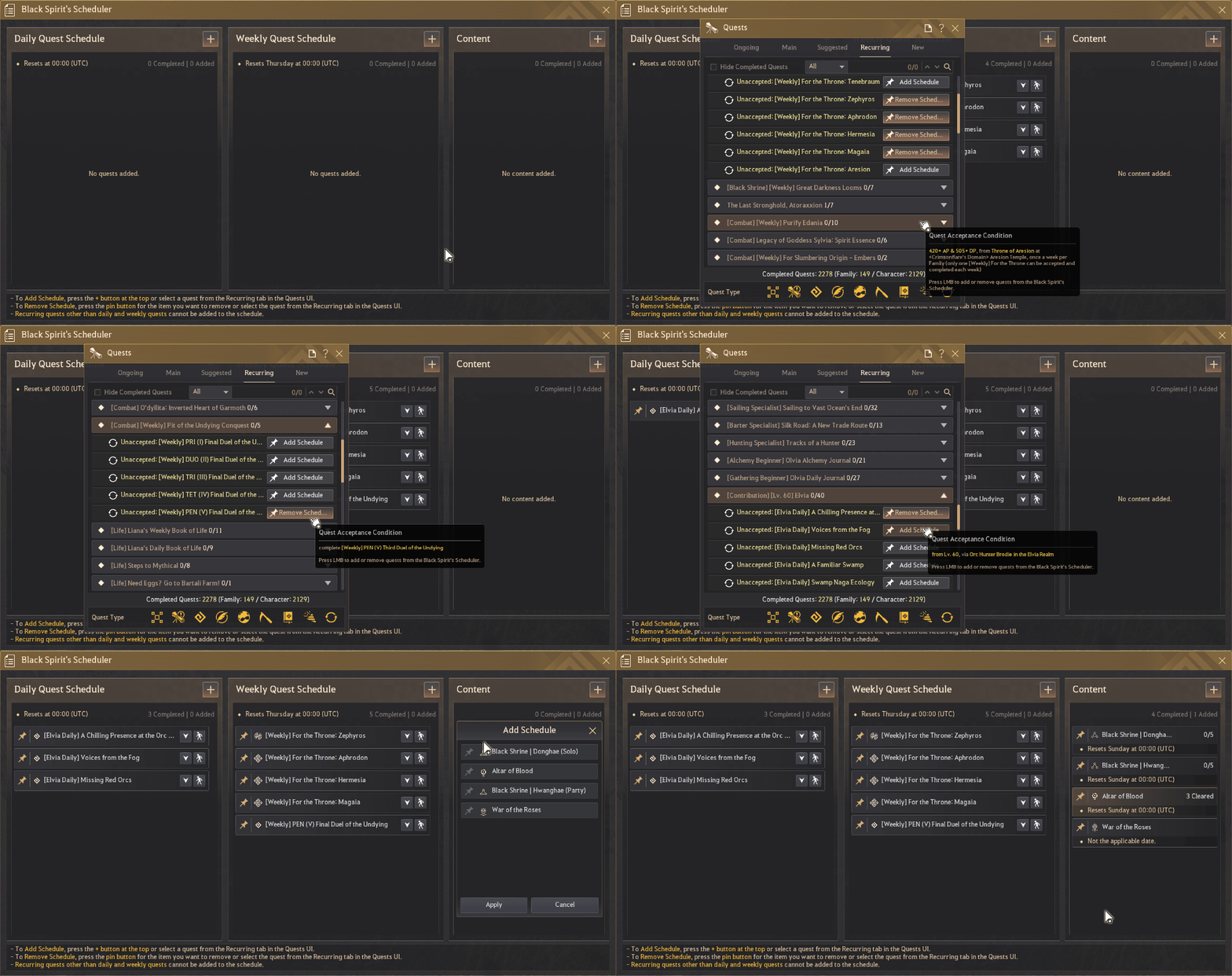
- Add a schedule by pressing + at the top, or by selecting a quest directly from the Recurring tab in the Quests UI.
- However, recurring quests other than daily and weekly quests cannot be added.
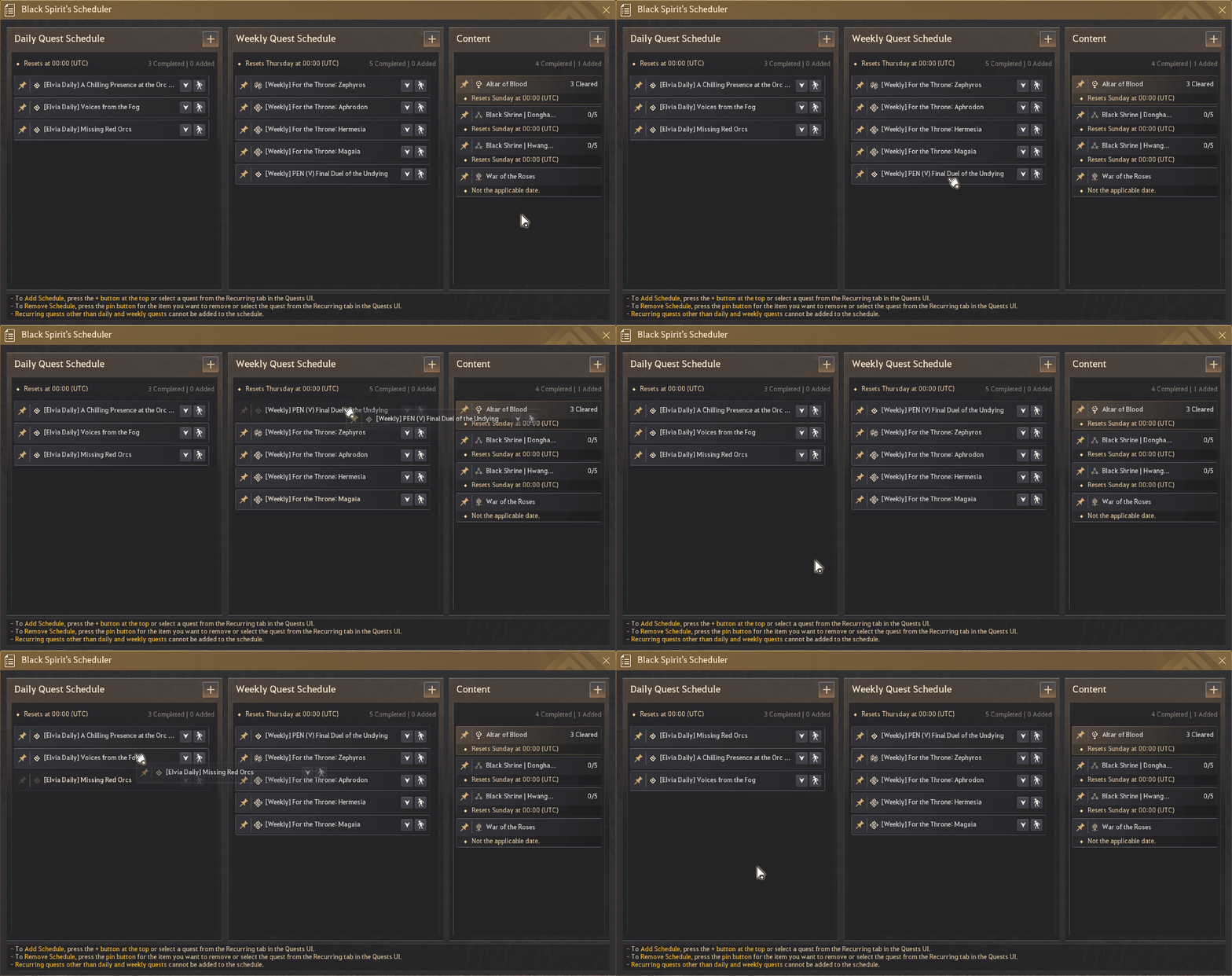
- Click and drag a quest to move and place it in the list of your choice.
- To delete a quest, press the pin button on the list, or select the quest directly from the Recurring tab in the Quests UI.
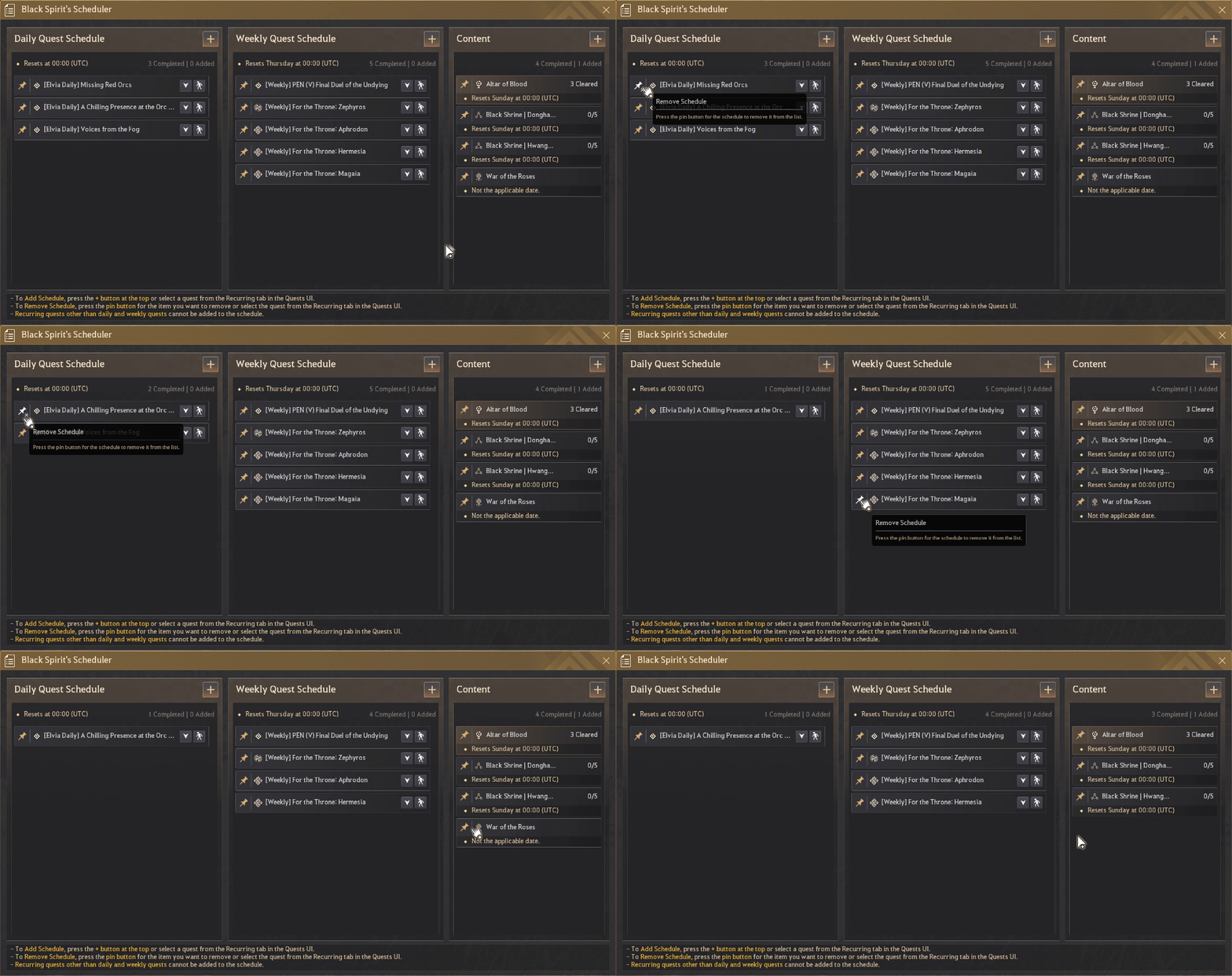
- All content schedules will be displayed by default after the update. Press + to open the settings and toggle each schedule on or off.
- A pop-up will appear in the bottom right when you log in, change characters, or change servers. Click it to open the Black Spirit’s Scheduler.