Marni’s Combat Analyzer added to Black Desert on August 6, 2026.
You can now easily view damage dealt, damage taken, DPS (Damage per Second), combat duration, and more. The individual combat analysis provides a more detailed breakdown of your combat records from multiple perspectives.
Marni’s Combat Analyzer serves as a useful tool for testing different setups and skill combos while objectively tracking your progression
- Go to Menu (ESC) – Character (F2) – Marni’s Combat Analyzer to access the feature.
- If the “Hide UI when Struck” option is enabled in Settings, the Combat Analyzer UI will be hidden when hit, but recording will continue.
- The widget will remain visible even when “Hide UI when Struck” is enabled.
Marni’s Combat Analyzer
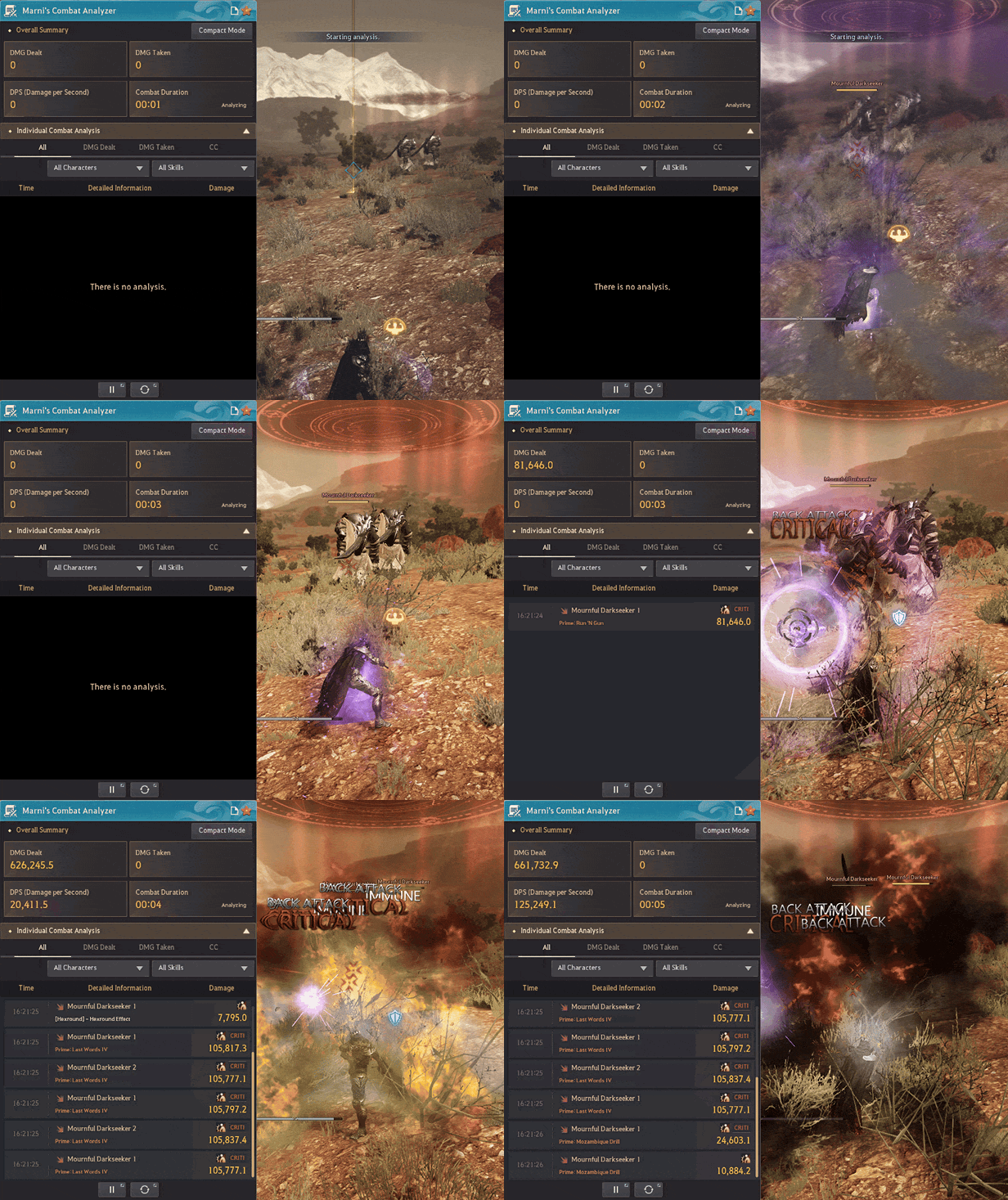
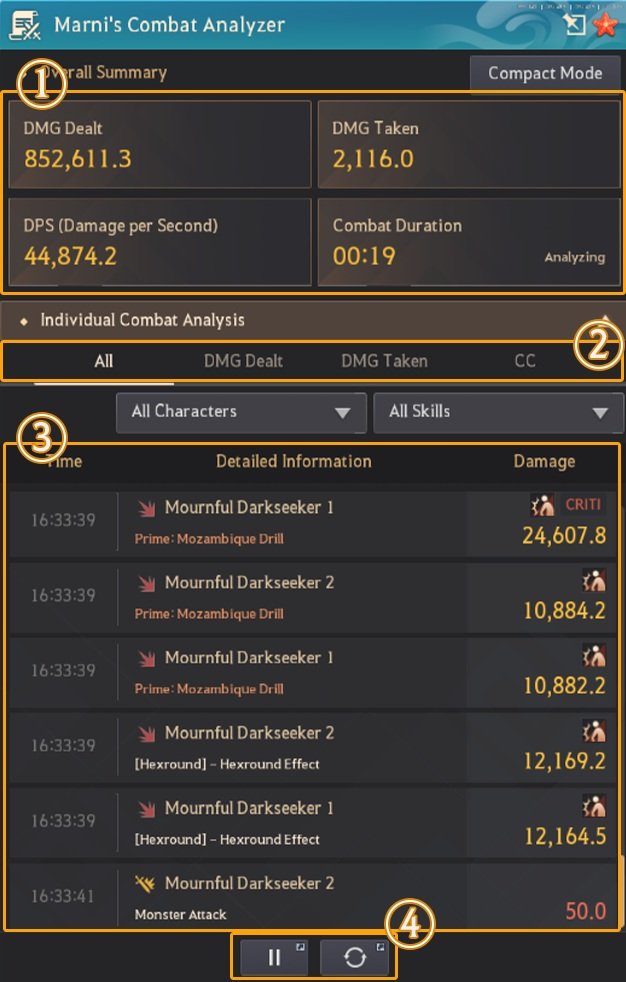
① Main Window
- Displays DMG Dealt, DMG Taken, DPS (Damage per Second), and Combat Duration.
- Exceeding the maximum recording time of 1 hour and 10 minutes requires a reset before recording again.
- Press the Sticker UI button to pop the window outside the game screen.
- Toggle the widget on or off via the Open/Close Widget button.
- ※ If “Hide UI when Struck” is enabled, the Marni’s Combat Analyzer UI will disappear upon being hit, but the widget remains on screen.
② Individual Combat Analysis – Tabs and Filters
- Access Individual Combat Analysis for detailed logs.
- Switch between tabs to view DMG Dealt, DMG Taken, and CC records. Filter records by skill, monster, or character name.
- If multiple targets share the same name, a number is appended to each target name for distinction.
- Press the “All Characters” button, choose a target, and input a number in the box to view data for that specific target.
- Press the “All Skills” button to view logs by skill.
③ Individual Combat Analysis – Record List
- Displays Time, Detailed Information, and Damage.
- Time: Displays the recorded time.
- Detailed Information: Displays whether damage was dealt or taken, alongside the skill name.
- Damage: Displays the damage dealt/taken, CC type, and whether it was a Critical Hit.
④ Start, Stop, and Reset Recording
- Press the Start button to begin recording, or press it again to pause recording.
- Start and Reset buttons can be assigned to Quick Hotkeys.
- Pressing the Reset button deletes all recorded data.
Marni’s Combat Analyzer Details
DMG Dealt
Displays the total damage dealt by your character.
If there are multiple targets, it displays the combined damage dealt to all targets.
DMG Taken
Displays the total damage taken by your character.
If there are multiple attackers, it displays the combined damage taken from all attackers.
DPS (Damage per Second)
Displays damage dealt per second by dividing DMG Dealt by Combat Duration.
Combat Duration
Displays how long Marni’s Combat Analyzer has been recording combat.
Individual Combat Analysis
Displays detailed information for every hit that deals damage.
- Target hit
- If multiple targets share the same name, a number will be added to distinguish each target.
- Skill used by the attacker
- Attacks that do not apply skill damage are displayed as “Normal Attack.”
- Attacks that do not apply skill damage but have specific effects are displayed as “Charge,” “Pull,” “Push,” “Spin,” or “Taunt.”
- Fixed damage effects granted by skill usage are logged under the corresponding skill name.
- Damage over time effects such as Poison, Burn, and Bleeding are logged under the corresponding skill name.
- Fixed damage effects granted by consumable items are logged under the corresponding consumable item name.
- Attacks by summons (or summoned entities) are logged as [summon name] – summon skill name.
- Special Attack Damage
- Displays Back Attack, Down Attack, Air Attack, Counter Attack, and Speed Attack.
- Displays whether a Critical Hit occurred.
- Displays whether a Miss occurred.
- Final Damage
- Final Damage includes all increases and reductions from Critical Hits and Misses.
※ CC effects are logged separately.
Content Availability for Marni’s Combat Analyzer
Available
- General Field
- Battle Arena
- Arsha Server (Including Anonymous)
- Red Battlefield
- Pit of the Undying
- Elvia Realm
- Marni’s Realm
- Golden Pig Cave
Unavailable
- Arena of Solare
- Node War
- Conquest War
- Atoraxxion Boss Battles
- Black Shrine – Hwanghae
- Black Shrine – Donghae
- Altar of Blood
- During cutscenes
- Old Moon Grand Prix
- War of the Roses
- Guild League
- Throne of Edana
- Global Friendly Match
- Arena of Arsha
- The Magnus
※ With the addition of Marni’s Combat Analyzer, effects such as charge, pull, push, monster spin, and taunt have been changed to deal minimal damage when applied.
※ Marni’s Combat Analyzer does not function while riding a mount, including Heuklang.