Manufacturers are increasingly advertising 8000 Hz gaming mice and keyboards as the next step in low-latency gaming. A 1000 Hz polling rate used to be the standard for high-end peripherals, while 4000 Hz and 8000 Hz are now common in devices designed for competitive players. But what does 8000 Hz actually mean? Does it make a mouse or keyboard eight times faster, and can an average gamer really notice the difference?
What Is Polling Rate?
Polling rate is the frequency at which a peripheral reports its status to the computer. A 1000 Hz mouse can send up to 1000 reports per second, while an 8000 Hz device can send up to 8000.
That translates into a different reporting interval:
- 1000 Hz — 1 ms;
- 2000 Hz — 0.5 ms;
- 4000 Hz — 0.25 ms;
- 8000 Hz — 0.125 ms.
This is why manufacturers associate higher polling rates with lower latency. According to Razer, moving from 1000 Hz to 8000 Hz reduces the theoretical reporting interval from 1 ms to 0.125 ms.
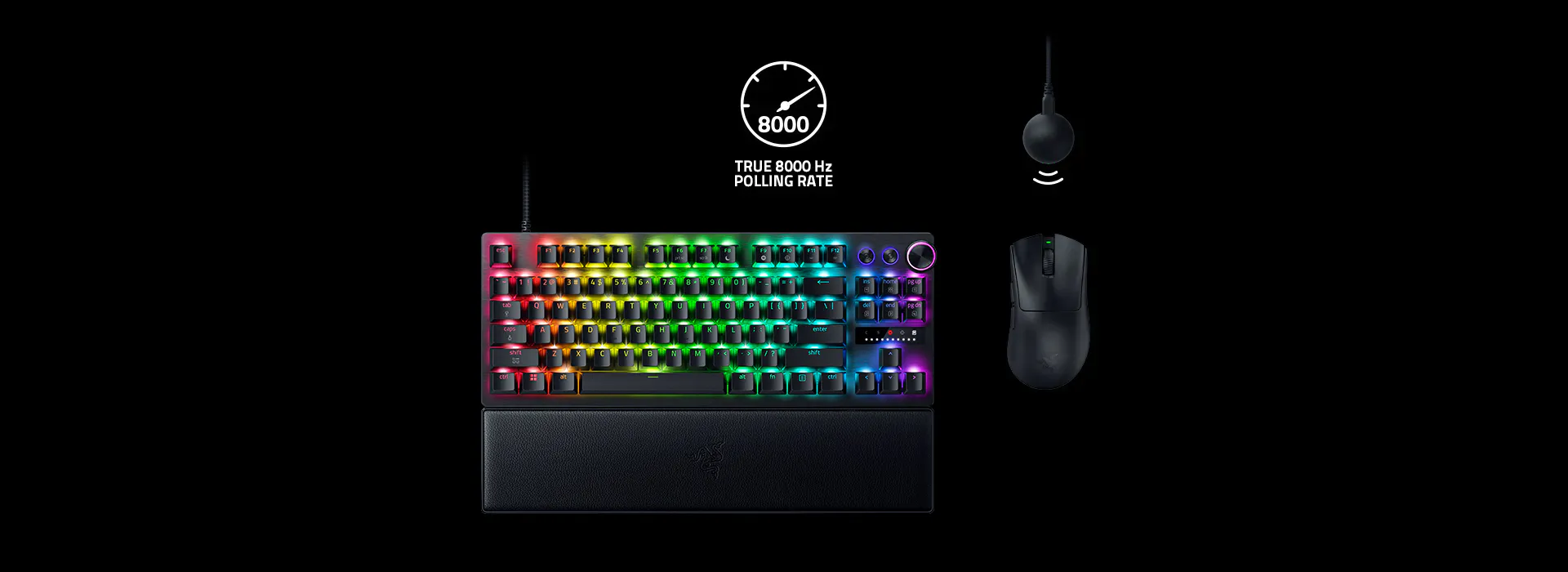
However, there is an important distinction: this does not mean that the entire input-to-display latency of your PC suddenly drops to 0.125 ms. Polling rate affects only one part of the complete chain between your physical input and what appears on the screen.
Why Does a Gaming Mouse Need 8000 Hz?
High polling rates are particularly interesting for gaming mice because a mouse constantly reports its position to the PC. The more frequently those reports are sent, the less time there is between successive position updates.
On a 60 or 75 Hz monitor, the benefits are difficult to justify because the display itself refreshes relatively slowly.
The situation changes with 240, 360, 500 or even higher refresh-rate monitors. When the screen updates much more frequently, more frequent mouse reports can provide more up-to-date information for each frame.
The main advantage of 8000 Hz is therefore not that the mouse somehow becomes eight times faster. Instead, it can provide smoother and more up-to-date cursor movement, particularly during fast movements.
This is why manufacturers such as Razer focus on 8000 Hz polling for competitive gaming. The Razer Viper V3 Pro, for example, supports up to 8000 Hz wireless polling through its HyperPolling Wireless Dongle.
What About an 8000 Hz Gaming Keyboard?
Keyboards are a slightly different story.
At first glance, an 8000 Hz polling rate seems unnecessary. Even an extremely fast player does not press a key thousands of times per second. So why would a keyboard need to report its state 8000 times every second?
The answer is that a higher polling rate can reduce the interval between a change in key state and the computer receiving that information. Modern gaming keyboards also use other technologies that can have a much greater impact on perceived responsiveness.
Hall Effect keyboards are a good example. They allow manufacturers to combine high polling rates with adjustable actuation points and features such as Rapid Trigger. The Wooting 80HE, for instance, supports up to 8000 Hz and offers adjustable actuation and Rapid Trigger functionality.
So for keyboards, 8000 Hz is better viewed as one part of a low-latency input system, rather than the main reason to buy a particular model.
Does 8000 Hz Require a Powerful PC?
This is where the practical side of the technology becomes important.
The higher the polling rate, the more frequently the computer receives data from the peripheral. With mice, this can increase CPU workload because the system has to process a much larger number of movement reports.
As a result, an older or less powerful PC may not benefit from 8000 Hz. In some situations, a very high polling rate can even introduce performance issues.
Keyboards are generally less demanding because their data stream works differently from a mouse’s continuous movement reports. However, compatibility can still depend on the hardware. Wooting, for example, notes that some USB controllers can have compatibility issues with keyboards running at 8000 Hz.
Is 8000 Hz Just Marketing?
Not entirely — but it is also not a revolution for every gamer.
The technology is real. An 8000 Hz polling rate genuinely reduces the interval between reports and can lower input latency in the relevant part of the system. However, the difference between 1000 and 8000 Hz does not feel like turning a slow mouse into an instantly responsive one.
For most players, sensor quality, mouse shape and weight, switch technology, wireless stability, monitor refresh rate and overall PC performance are more important.
For competitive FPS players using powerful PCs and high-refresh-rate monitors, however, those fractions of a millisecond can become part of the overall effort to minimize input latency.
It is also worth remembering that two devices claiming the same 8000 Hz polling rate do not necessarily provide identical real-world results. Razer, for example, reports different average latency figures for different generations of its wireless HyperPolling technology.
Should You Buy an 8000 Hz Peripheral?
If you play CS2, Valorant, Fortnite, Apex Legends or other fast competitive games on a powerful PC with a high-refresh-rate monitor, 8000 Hz is worth considering.
If you mostly play RPGs, strategy games, MMOs or single-player titles on a conventional monitor, the difference between 1000 and 8000 Hz is unlikely to transform your experience.
That is why it makes little sense to buy a mouse or keyboard based on one specification alone. 8000 Hz is better understood as the final step in optimizing an already fast gaming setup, rather than a technology that will suddenly make an ordinary PC feel much faster.
For most gamers, a good 1000–4000 Hz mouse and a quality gaming keyboard will provide more noticeable benefits for the money. 8000 Hz is mainly for those who genuinely care about every fraction of a millisecond.